







With Parts Library, you can share individual parts via Workspaces, giving your team full visibility into part history and ordering activity. Once shared, team members can edit, share, download, and purchase parts directly from their own Libraries.
How to share a part
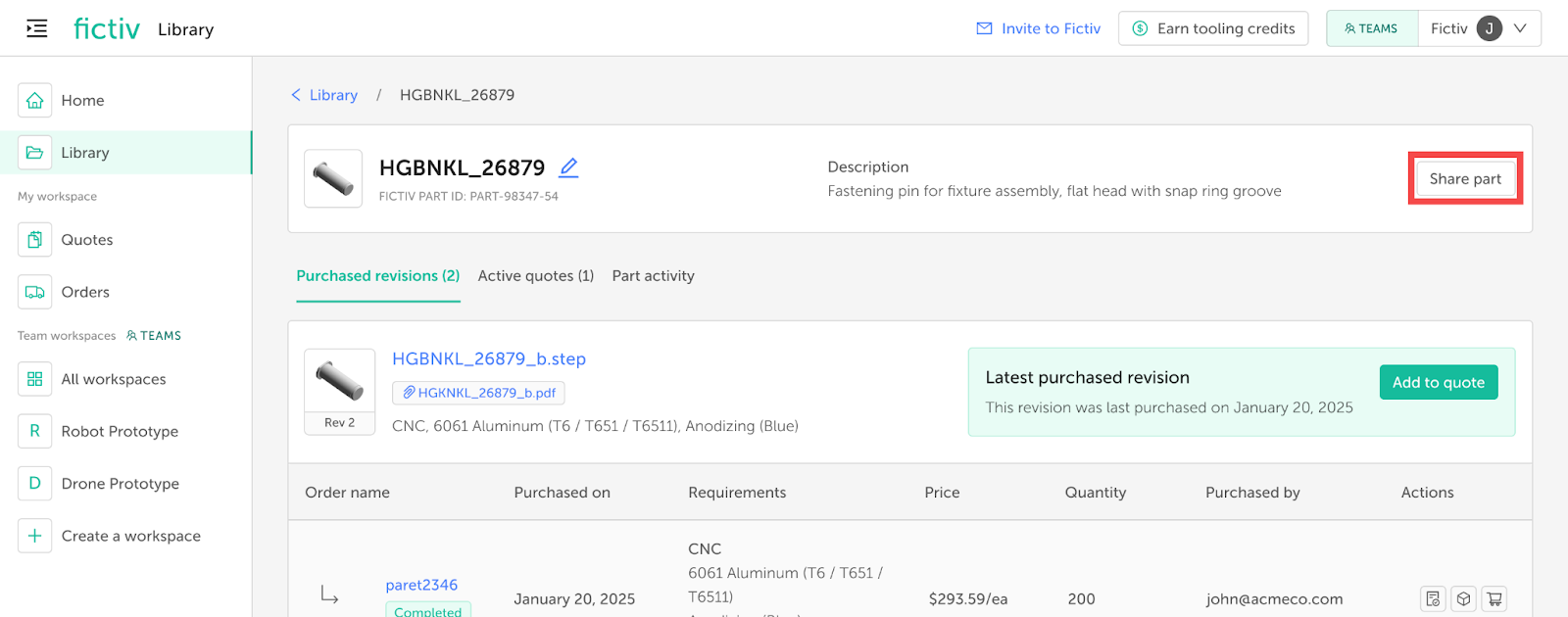
- Open the part details page for the part you’d like to share.
- Click on Share part in the top-right corner [Fig. 1].
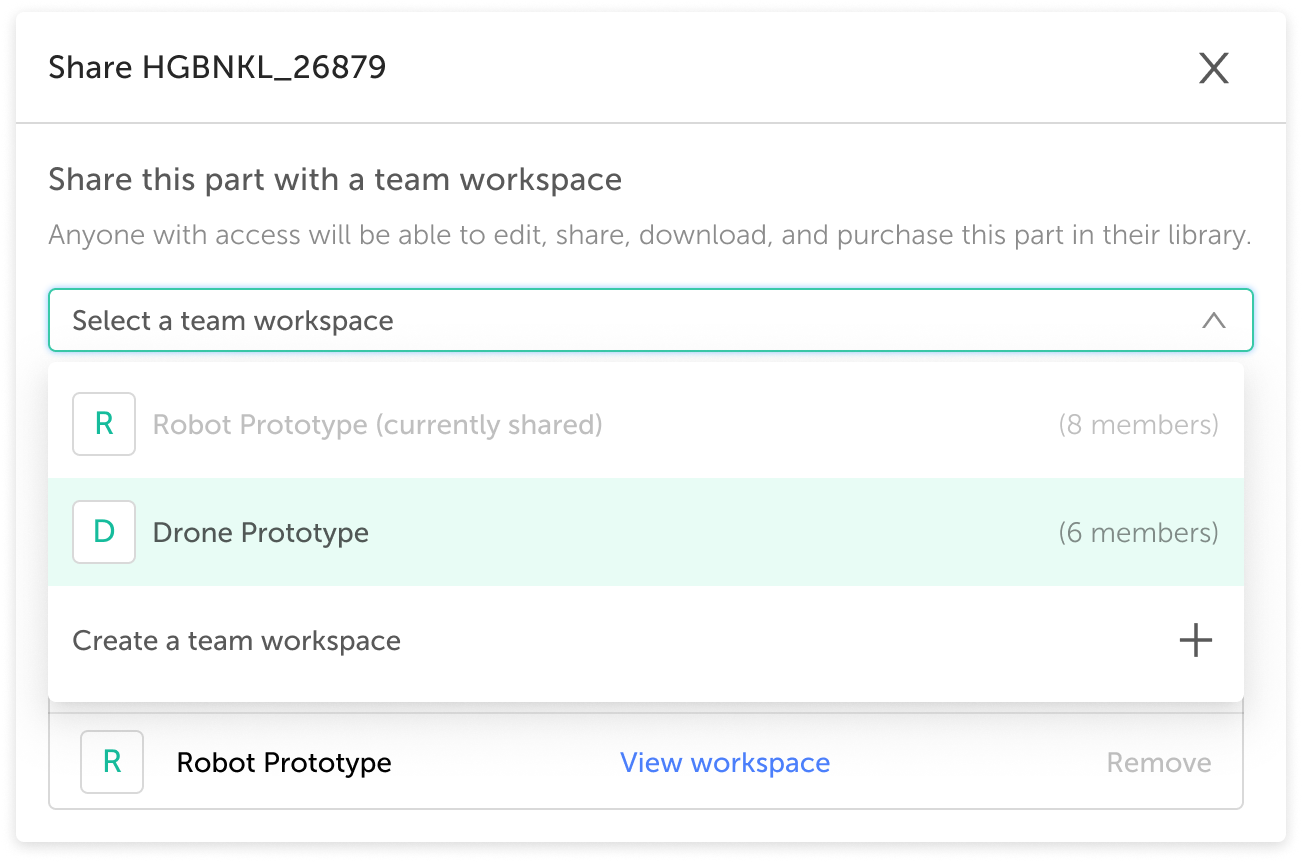
- Choose an existing workspace you’re a member of, or create a new workspace [Fig. 2].
- You may share a part with multiple workspaces, including those you don’t have access to. In these cases, you’ll still see the part’s overall activity, but you won’t be able to view quotes or orders created in those workspaces.
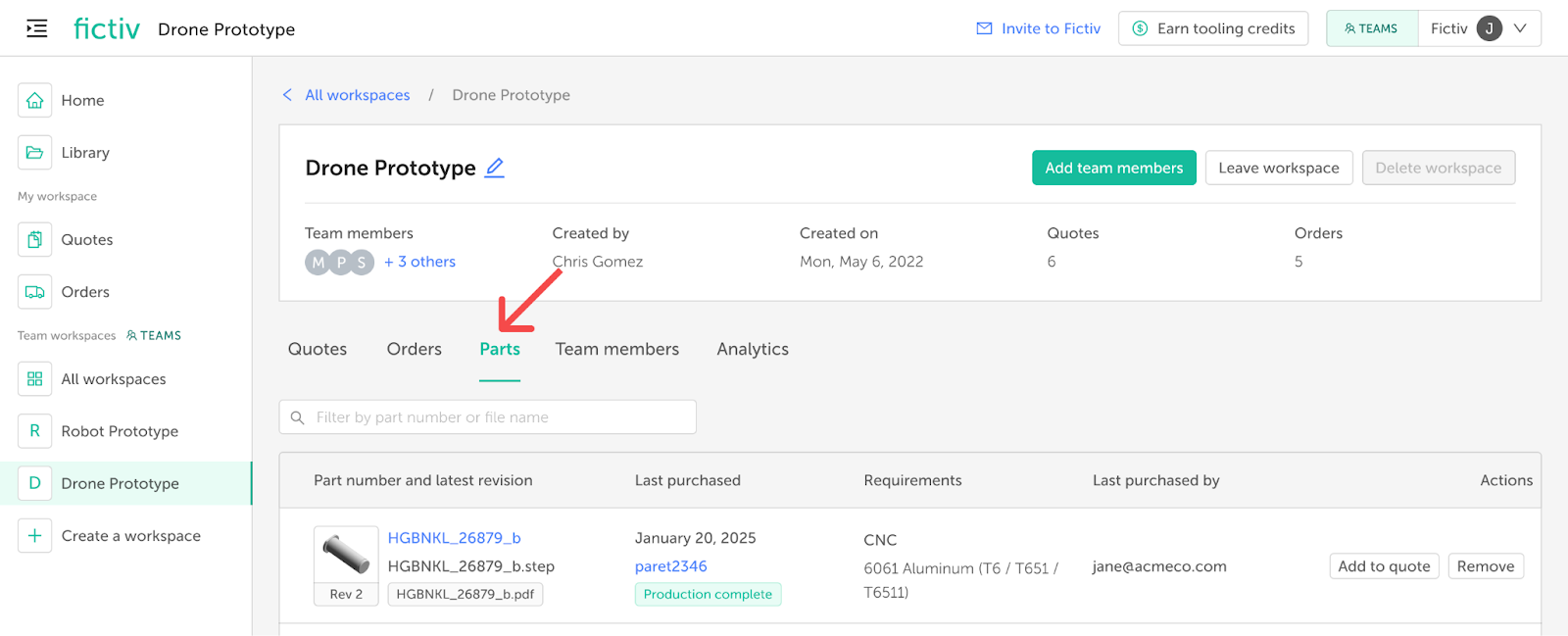
All parts shared to a workspace can be found in the Parts tab of the workspace page [Fig. 3].
How to remove a part from the workspace
- Open the part details page for the part you’d like to remove.
- Click on Share part in the top-right corner.
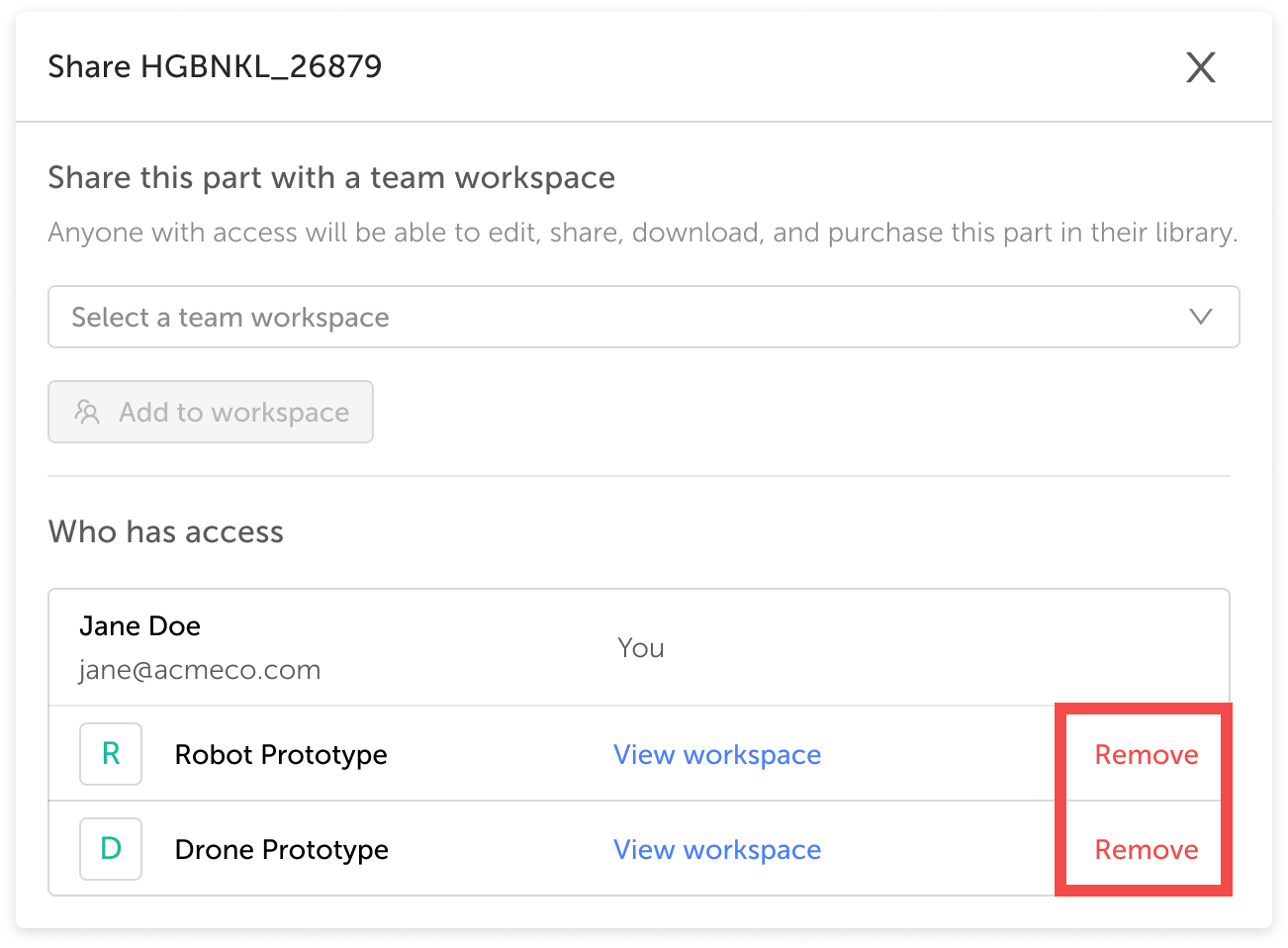
- Click Remove next to the workspace you want to remove the part from [Fig. 4].
- Important: A part must remain shared with at least one workspace. Before removing it from the current workspace, make sure it’s shared with another workspace so your organization continues to have access.
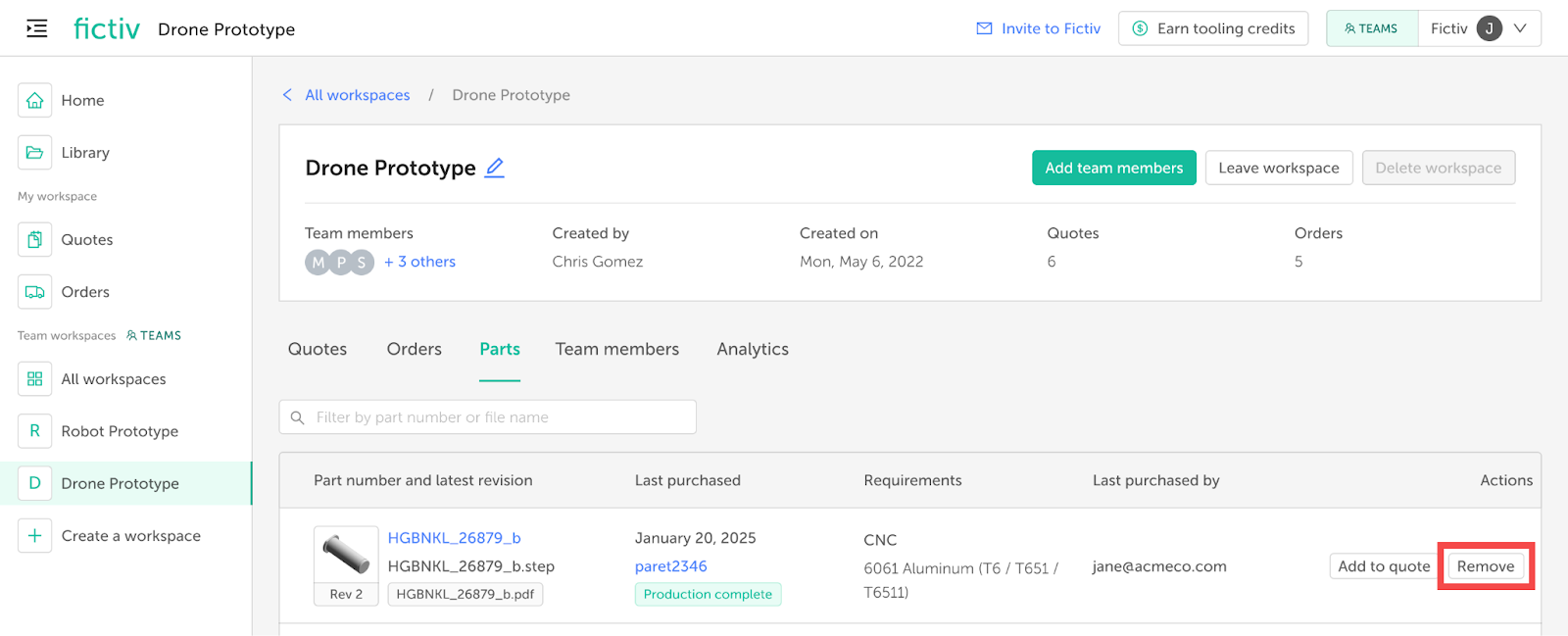
You can also remove a part directly from the Parts tab of the workspace page. Simply click Remove in the right-hand column next to the part you want to remove [Fig. 5].
How to share a mold
- To give multiple users access to a mold, contact your Fictiv sales representative.
- Users with access can view the mold and all part details in their Mold Library, as well as place orders and request modifications.
- Quotes created from your mold must be shared manually with colleagues.
- If you’d like to transfer ownership of a mold, contact your Fictiv sales representative, who can reassign the mold to another Fictiv user.
What happens to parts in a shared order or quote?
- When you share an order with a workspace, all parts included in that order are automatically shared with that workspace.
- If you share a quote with a workspace and it is later purchased, the resulting order—and all its parts—will also be shared with that workspace.
- If you share a quote with an individual collaborator (rather than a workspace), they will not see the associated parts in their Library.